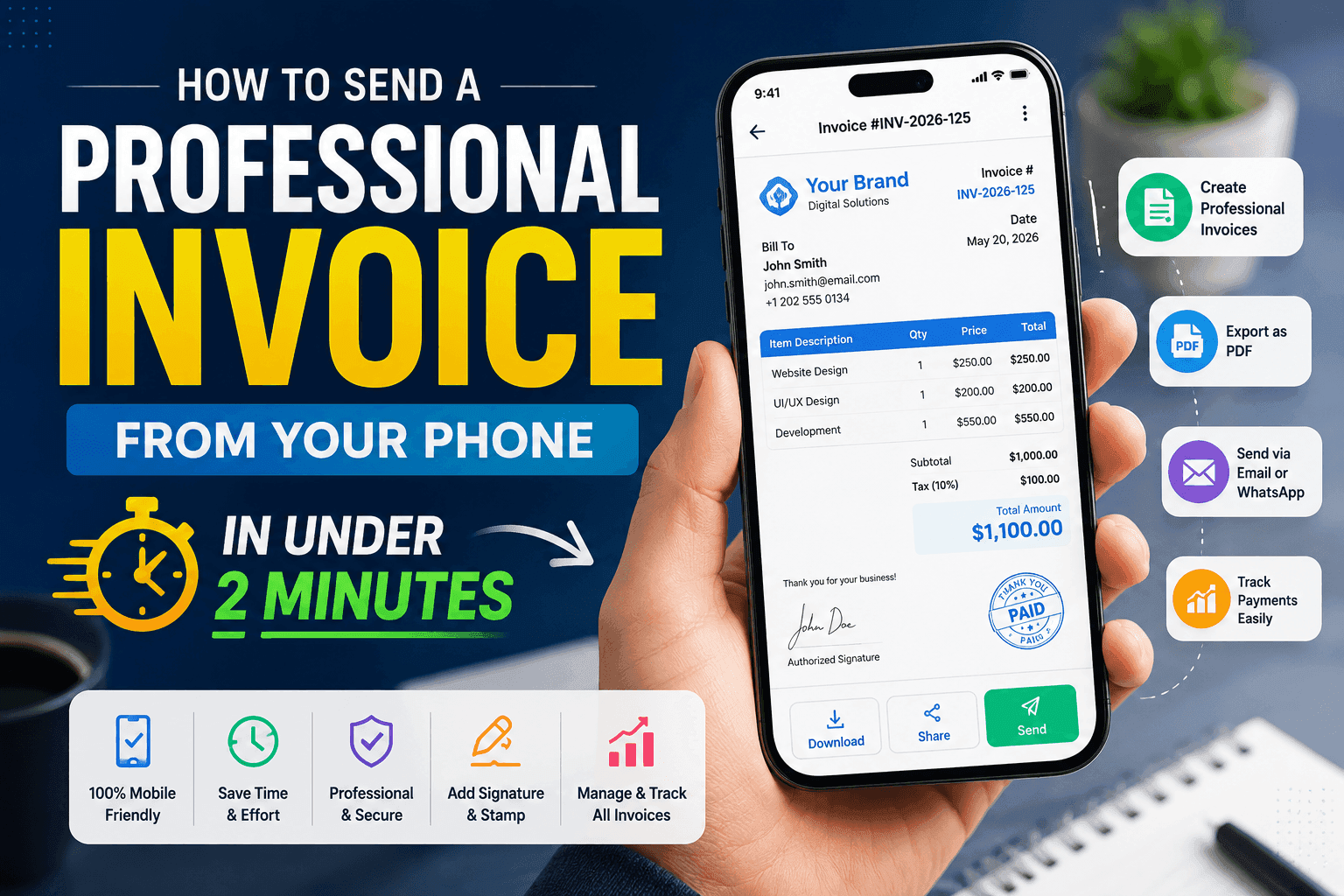
How to Send a Professional Invoice From Your Phone in Under 2 Minutes
There was a time when creating invoices meant sitting in front of a computer, opening spreadsheets, editing templates, and spending way too much time formatting everything properly.
Now?
Most freelancers and small businesses don’t work that way anymore.
In 2026, many people create and send invoices directly from their phones — whether they’re:
- working remotely
- traveling
- meeting clients
- running a small business
- freelancing full-time
And honestly, once you start using a good mobile invoice app, it’s hard to go back to manual invoicing.
The best part is:
You can now create a professional invoice in less than two minutes.
Here’s exactly how.
Why Mobile Invoicing Has Become So Popular
Small businesses move fast now.
Freelancers are sending invoices between meetings.
Contractors are billing clients from job sites.
Agencies are managing payments while working remotely.
People want tools that are:
✔ simple
✔ fast
✔ mobile-friendly
✔ professional
That’s exactly why mobile invoice apps are growing so quickly.
Instead of waiting until you’re back at your desk, you can now:
- create invoices instantly
- send PDF invoices
- track payments
- manage clients
all from your phone.
What Makes an Invoice Look Professional?
Before sending invoices quickly, it’s important to understand what actually makes an invoice look professional.
A good invoice should include:
- your business name
- logo
- client details
- invoice number
- itemized pricing
- payment details
- signature or stamp
- clean formatting
The goal is simple:
Make the invoice easy to understand and trustworthy.
Even small details matter.
A clean invoice creates a much better impression than a messy spreadsheet or plain text message.
Step-by-Step: How to Create an Invoice From Your Phone
The process is actually much easier than most people expect.
Here’s how modern mobile invoicing usually works.
Step 1: Open Your Invoice App
Start by opening your invoice maker app on your phone.
Apps like Invoice Billing are designed to keep things simple, so you don’t need accounting experience to get started.
Most modern invoice apps already include:
- ready-made templates
- automatic calculations
- professional formatting
which saves a huge amount of time.
Step 2: Add Client Details
Next, enter your client information.
Usually this includes:
- client name
- business name
- email address
- phone number
Many apps also save client profiles automatically, so you won’t need to re-enter details every time.
This becomes especially useful for recurring clients.
Step 3: Add Services or Products
Now add the products or services you provided.
For example:
- website design
- consulting
- social media management
- photography
- repairs
- freelance writing
You can include:
- description
- quantity
- price
- taxes or discounts
The app calculates totals automatically, reducing mistakes and saving time.
Step 4: Customize the Invoice
This is where your invoice starts looking professional.
You can usually add:
- business logo
- signature
- stamp
- brand colors
- notes for clients
Even simple branding makes your business look more organized and trustworthy.
And honestly, clients notice these details more than people think.
Step 5: Export and Send the Invoice
Once everything looks good, export the invoice as a PDF.
From there, you can send it instantly through:
- messaging apps
- direct download
The entire process often takes less than two minutes.
That’s a huge difference compared to traditional invoicing methods.
Common Invoice Mistakes That Make Businesses Look Unprofessional
A lot of invoice problems actually come from very small mistakes.
Some of the most common include:
- missing invoice numbers
- incorrect totals
- unclear pricing
- poor formatting
- forgetting payment deadlines
- sending incomplete invoices
Mobile invoice apps help reduce these issues by automating much of the process.
That means:
✔ fewer mistakes
✔ faster payments
✔ better organization
Why More Freelancers Are Using Invoice Apps
Freelancers especially benefit from mobile invoicing because they often work from different locations throughout the day.
Instead of waiting until later, they can:
- invoice immediately after work is completed
- send invoices while traveling
- respond faster to clients
- track unpaid invoices more easily
That speed can actually improve cash flow.
The faster invoices are sent, the faster clients usually pay.
Why Simplicity Matters More Than Complex Accounting Software
A lot of accounting software feels overwhelming for smaller businesses.
Too many menus.
Too many features.
Too much setup.
But many freelancers and small businesses don’t need advanced accounting systems.
They mainly want to:
✔ create invoices quickly
✔ send professional PDFs
✔ track payments
✔ stay organized
That’s why lightweight invoice maker apps are becoming more popular every year.
How Invoice Billing Simplifies Mobile Invoicing
Apps like Invoice Billing focus on making the invoicing process fast and beginner-friendly.
You can:
- create invoices quickly
- customize templates
- add logo, signature, and stamp
- export invoices as PDF
- track payment status
- manage client details
without dealing with complicated systems.
The goal is simplicity — and honestly, that’s what many small businesses need most.
Mobile Invoicing Is Becoming the New Normal
The way businesses work has changed.
People no longer want to:
- carry paperwork everywhere
- open laptops for simple tasks
- manually format invoices
Everything is becoming mobile-first.
And invoicing is no exception.
Being able to send a professional invoice directly from your phone saves:
- time
- effort
- stress
while also making your business look more professional.
Final Thoughts
Creating professional invoices no longer needs to feel complicated.
With modern invoice apps, freelancers and businesses can:
- create invoices faster
- reduce mistakes
- stay organized
- send professional PDFs from anywhere
And honestly, once you start invoicing from your phone, it quickly becomes part of your normal workflow.
If you’re still using spreadsheets or manual templates, switching to a mobile invoice app might save you more time than you expect.
Download Here:
Apple Store Invoice App
Google Play Invoice App