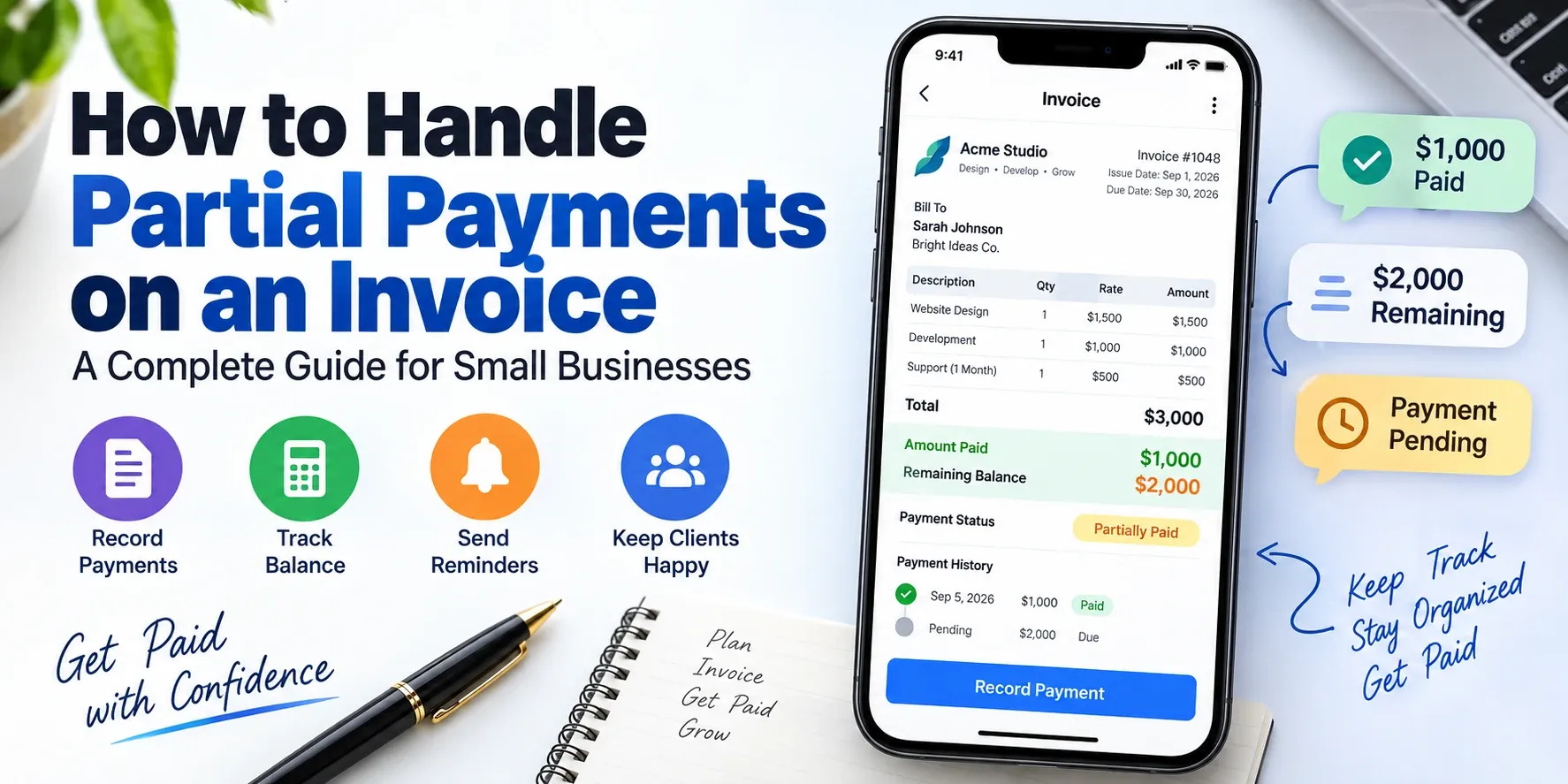
Getting paid in full isn't always how business works. A client might pay 50% before a project starts, send another payment halfway through, and settle the remaining balance when everything is finished. For a freelancer, contractor, consultant, or small business, that creates a simple question that can become surprisingly messy:
How do you record a partial payment on an invoice?
A partial payment invoice doesn't need to be complicated. The important thing is to keep the original amount, amount received, payment date, and remaining balance clear. That way, both you and your client know exactly what has been paid and what is still outstanding.
Whether you're collecting a deposit, accepting installments, or simply receiving a payment before the full invoice is due, a consistent system makes the process much easier to manage.
What Is a Partial Payment on an Invoice?
A partial payment is a payment that covers only part of the total amount due on an invoice.
For example, imagine you send a client an invoice for $2,000. The client pays $1,000 upfront and agrees to pay the remaining $1,000 after the project is completed.
The original invoice remains $2,000, but its payment status should show that $1,000 has been received and $1,000 remains outstanding.
A simple record could look like this:
| Invoice Total | Payment Received | Remaining Balance |
|---|---|---|
| $2,000 | $1,000 | $1,000 |
The important point is that you generally don't want to treat the $1,000 payment as if the original invoice were only $1,000. The invoice represents the full amount due; the payment record shows how much of that obligation has already been settled.
This distinction becomes particularly important when you have several clients, multiple invoices, or recurring payments to track.
When Should You Accept a Partial Invoice Payment?
Partial payments are useful when a project, order, or service naturally involves more than one payment.
A few common situations include:
Large Projects
A web development project, renovation, marketing campaign, or consulting engagement may run for several weeks or months. Asking for the entire amount at the end may not make sense for either party.
Instead, you might agree on a deposit followed by one or more progress payments.
Deposits Before Work Begins
A deposit allows a business to collect part of the agreed price before starting work. The remaining amount can then be invoiced or collected according to the agreed payment schedule.
Installment Arrangements
Some clients may prefer to divide a larger invoice into several payments. For example, a $3,000 project could be divided into three $1,000 payments.
Milestone-Based Projects
A project may have clearly defined stages. You could collect payment after completing the design, development, testing, or delivery stage.
The key is to agree on the payment arrangement before the work begins. Your client should know how much is due, when each payment is expected, and how the remaining balance will be handled.
How to Record a Partial Payment Correctly
To record a partial payment correctly, keep the original invoice amount and record the payment against that invoice rather than creating confusion with unrelated documents.
Start with the original invoice number.
Then record:
- Total invoice amount
- Amount received
- Payment date
- Payment method
- Remaining balance
- Payment status
For example:
Invoice #1048
Total: $2,500
Payment received: $1,000
Payment date: September 18, 2026
Remaining balance: $1,500
Status: Partially Paid
When another $1,500 arrives, update the same payment record:
Total: $2,500
Total payments received: $2,500
Remaining balance: $0
Status: Paid
This creates a much clearer record than creating a completely new invoice every time the client sends money.
An invoice maker app can make this process easier by keeping invoices and payment information organized in one place. Invoice Maker, for example, provides real-time payment status tracking and client payment history.
What Should a Partially Paid Invoice Show?
A partially paid invoice should make the remaining amount obvious.
At minimum, the document or payment record should allow you to identify:
Original invoice total: The full amount originally billed.
Amount paid: The total received so far.
Balance due: The amount that remains unpaid.
Payment status: Something such as "Partially Paid" or "Balance Due."
Payment dates: When payments were received.
Invoice number: The reference connecting payments to the original invoice.
This information prevents a common problem: the client remembers making a payment, while the business remembers only the original invoice total.
Both can be correct.
The client has paid part of the invoice, but the invoice itself still has an outstanding balance.
If you accept several payments against the same invoice, maintaining a clear payment history becomes even more important.
How to Calculate the Remaining Invoice Balance
The remaining balance is calculated by subtracting the total payments received from the original invoice amount.
Remaining Balance = Original Invoice Amount − Total Payments Received
For example:
Original invoice: $4,800
First payment: $1,500
Second payment: $1,000
Total received:
$1,500 + $1,000 = $2,500
Remaining balance:
$4,800 − $2,500 = $2,300
The client therefore still owes $2,300.
The same formula works whether you receive one partial payment or several.
If you collect three payments of $500 on a $2,000 invoice, the remaining balance is:
$2,000 − ($500 + $500 + $500) = $500
Keeping this calculation separate from the original invoice total helps prevent accidental overbilling or underbilling.
Should You Send a New Invoice After a Partial Payment?
You usually don't need to create a completely new invoice simply because a client has made a partial payment.
The original invoice should remain the reference for the full transaction, while the payment record shows what has already been received.
Creating a new invoice for every partial payment can create unnecessary confusion. You could end up with several documents that appear to represent separate charges when they are actually payments toward the same project.
There are exceptions, of course. If the payment represents a genuinely separate service, product, or billing milestone that should be invoiced independently, a new invoice may be appropriate.
The important thing is consistency.
If several payments relate to one invoice, keep them connected to that invoice.
If they represent separate billable transactions, invoice them separately.
How to Handle Deposits and Upfront Payments
A deposit should be clearly connected to the project or transaction it relates to.
Suppose you're designing a website for $3,000 and require a 40% deposit.
The deposit would be:
$3,000 × 40% = $1,200
The client pays $1,200 before work begins, leaving:
$3,000 − $1,200 = $1,800
Your records should make that relationship clear.
Depending on your business and accounting requirements, the deposit may be documented as an advance payment, deposit, or partial payment toward the final invoice. The exact treatment can vary by jurisdiction and business structure, so businesses should follow the accounting and tax rules that apply to them.
From a practical invoicing perspective, the important thing is that the client can easily understand:
What was agreed → what was paid → what remains.
That simple chain prevents many billing misunderstandings.
How to Follow Up on the Remaining Balance
Following up on a partial payment should be straightforward because you're not asking the client to pay an unfamiliar amount.
You're reminding them about an existing balance.
For example:
Hi Sarah,
Thank you for your payment of $1,000 toward invoice #1048. The remaining balance is $1,500, which is due on October 1. Please let me know if you need another copy of the invoice.
Thank you.
This works because it gives the client the information they need without sounding aggressive.
A useful payment reminder should identify:
- The invoice number
- Original invoice amount
- Amount already paid
- Remaining balance
- Due date
- Payment instructions
Avoid sending a message that simply says, "You still owe me money."
The more specific the reminder is, the less back-and-forth it creates.
If you're managing several clients, automated payment reminders can also reduce the amount of manual follow-up required. Invoice Maker includes payment reminders and real-time payment tracking as part of its invoicing workflow.
Partial Payment vs. Installment Payment: What's the Difference?
A partial payment and an installment payment are related, but they aren't exactly the same thing.
A partial payment means the client has paid only part of an amount that was originally due.
An installment payment usually means the parties have intentionally agreed to divide the total amount into multiple scheduled payments.
For example:
Partial payment:
A client owes $2,000 and unexpectedly pays $800 now. The remaining $1,200 is still outstanding.
Installment arrangement:
A client agrees from the beginning to pay $2,000 in four scheduled payments of $500.
The practical difference is the payment agreement.
With installments, the schedule is normally established in advance. With a partial payment, the client may simply have paid less than the full amount due.
Both situations require accurate records.
Common Mistakes When Recording Partial Payments
Partial payments become difficult to manage when businesses don't maintain a consistent record.
Creating a New Invoice for Every Payment
This can make one project look like several separate transactions. Keep payments connected to the appropriate invoice when they relate to the same charge.
Forgetting the Original Invoice Total
Always preserve the original amount. The payment changes the balance, not the amount originally billed.
Not Updating the Payment Status
An invoice that has received $1,000 shouldn't continue to look exactly like an unpaid $2,000 invoice in your internal records.
Tracking Payments in Random Notes
Writing "Sarah paid $500" in a phone note might work temporarily, but it becomes difficult to manage when you have dozens of clients.
Not Recording Payment Dates
Payment dates provide a useful history and can help resolve disputes later.
Forgetting the Remaining Balance
A partial payment isn't the end of the transaction. Make sure the outstanding amount remains visible.
Mixing Personal and Business Records
Keep business payment records organized and separate from informal personal notes wherever possible.
How an Invoice Maker App Simplifies Partial Payment Tracking
An invoice maker app can reduce the administrative work involved in tracking payments by keeping invoice, client, and payment information together.
For example, Invoice Maker lets businesses create invoices and estimates, customize documents, export invoices as PDFs, manage client details, and monitor payment status. Its client management feature also keeps payment history associated with clients.
That matters when you're managing multiple partially paid invoices.
Instead of searching through emails or spreadsheets to answer questions like:
"Which client paid the deposit?"
"How much is still outstanding?"
"When did they make the last payment?"
you can keep the relevant information organized around the invoice and client record.
The app also supports offline invoice creation and editing, while changes can sync when you're connected again.
For freelancers and small businesses, that can make payment tracking considerably easier than maintaining several separate records.
What Should You Do When the Final Payment Arrives?
When the final payment arrives, verify that the total amount received matches the original invoice total.
For example:
Invoice total: $3,500
Payment 1: $1,000
Payment 2: $1,000
Payment 3: $1,500
Total received: $3,500
Balance: $0
At that point, mark the invoice as paid and retain the payment history with the original invoice.
Don't delete the earlier partial-payment records just because the invoice is now settled. They provide the history showing how the final amount was paid.
That history can be useful for your own bookkeeping and for answering questions later.
For more wording ideas, read how to get clients to pay invoices faster without sounding pushy.
Frequently Asked Questions
How do I record a partial payment on an invoice?
Record the payment against the original invoice and note the amount received, payment date, and remaining balance. Keep the original invoice total unchanged so the payment history remains clear.
Can I make an invoice partially paid?
Yes. An invoice can remain open with a partial payment recorded against it. The record should show the original total, amount paid so far, and remaining balance.
How do I calculate the remaining balance on an invoice?
Subtract the total payments received from the original invoice amount. For example, a $2,000 invoice with $750 received has a remaining balance of $1,250.
Should I send a receipt for a partial payment?
A payment receipt can be useful because it confirms that the payment was received. It should identify the invoice, amount paid, payment date, and remaining balance when applicable.
Can an invoice have multiple partial payments?
Yes. One invoice can have multiple payments applied to it, provided your records clearly show each payment and the remaining balance.
What happens when the final partial payment is made?
Once the total payments equal the invoice amount, the remaining balance becomes zero and the invoice can be marked as paid. Keep the complete payment history with the invoice.
Final Thoughts
Partial payments don't have to turn invoicing into a bookkeeping headache. The key is simple: keep the original invoice intact, record every payment accurately, and make the remaining balance easy to understand.
Whether you're collecting a deposit, billing by milestones, or accepting installments, consistent payment records help you and your clients stay on the same page.
An invoice maker can make that process easier by keeping invoices, clients, payment statuses, and payment history organized in one workflow. Invoice Maker supports invoice creation, real-time payment tracking, client management, payment reminders, PDF exports, and more.
If you regularly handle partial payments, building a clear system now can save you surprising time later.
👉 Track every invoice and send reminders automatically. Download Invoice Maker on the App Store or Google Play.